Allocate Products
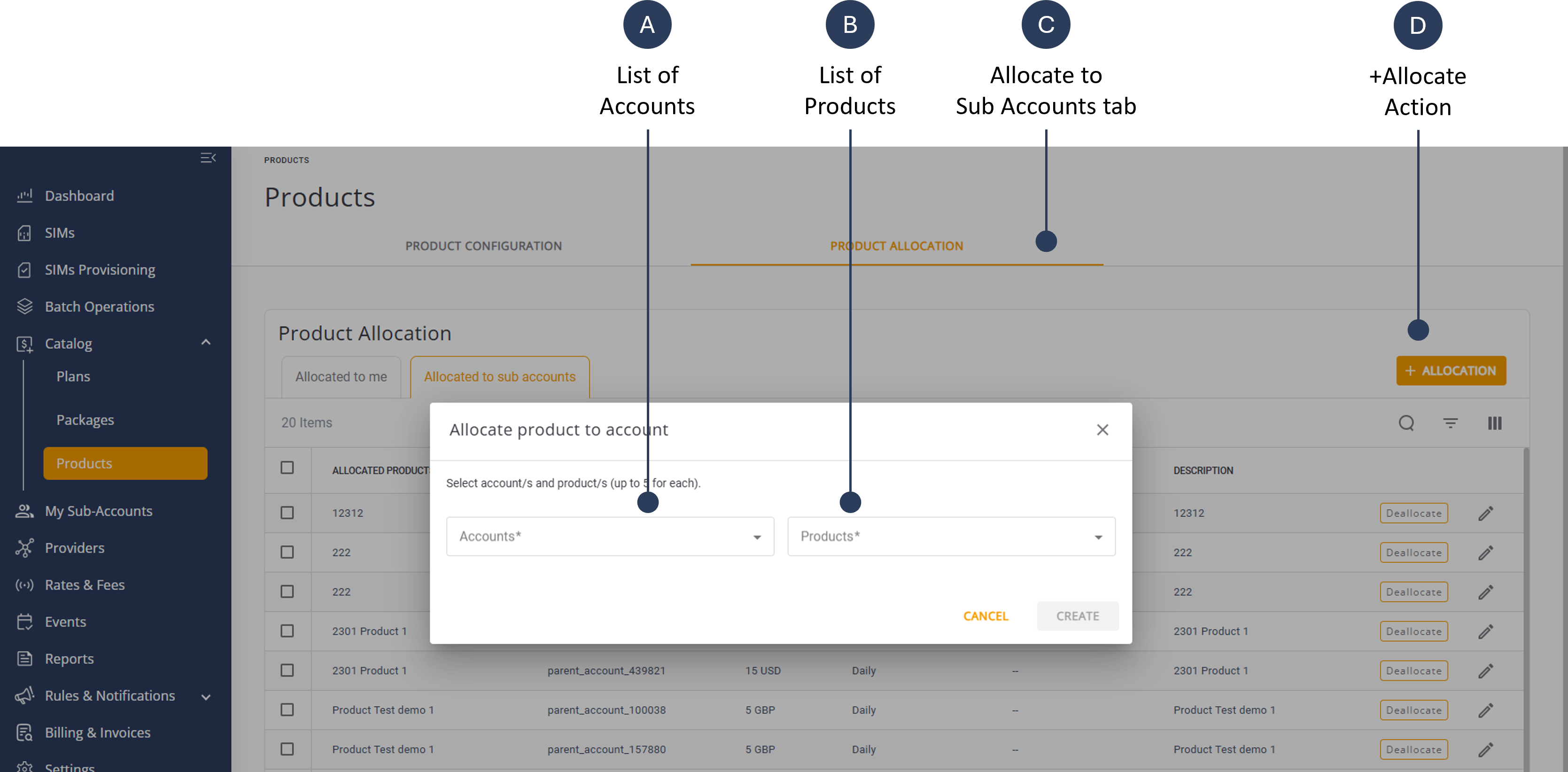
To allocate a product to a sub-account, do these steps:
- Select Catalog | Products from the sidebar menu.
- Select the Product Allocation tab.
- Select the Allocated to Sub-Accounts tab.
- Click +Allocation to display the Allocate Product to Account dialog box.
- Select one or more accounts from the list of Accounts.
- Select one or more products from the list of Products.
- Click Create to allocate the selected products to the accounts.
A screen capture of the Allocate Product to Account dialog box is shown here.